NutriGlass Review
A client-side glassmorphism diet tracker with local storage, custom foods, and Open Food Facts lookup.
Each review covers deployability, value versus commercial alternatives, and privacy model. Tools that can run locally were started and exercised; mobile or backend-dependent tools were assessed from published builds, source code, and deploy guides. Ratings reflect what we were able to verify.
NutriGlass — Open Source Glassmorphism Diet Tracker
A client-side nutrition tracker with a glassmorphism UI, local storage, custom foods, and Open Food Facts lookup. Last updated: 2026-06-21.
One-sentence verdict: A pretty, self-contained diet tracker with no server and no AI, best for users who want privacy over automation.
What the System Is
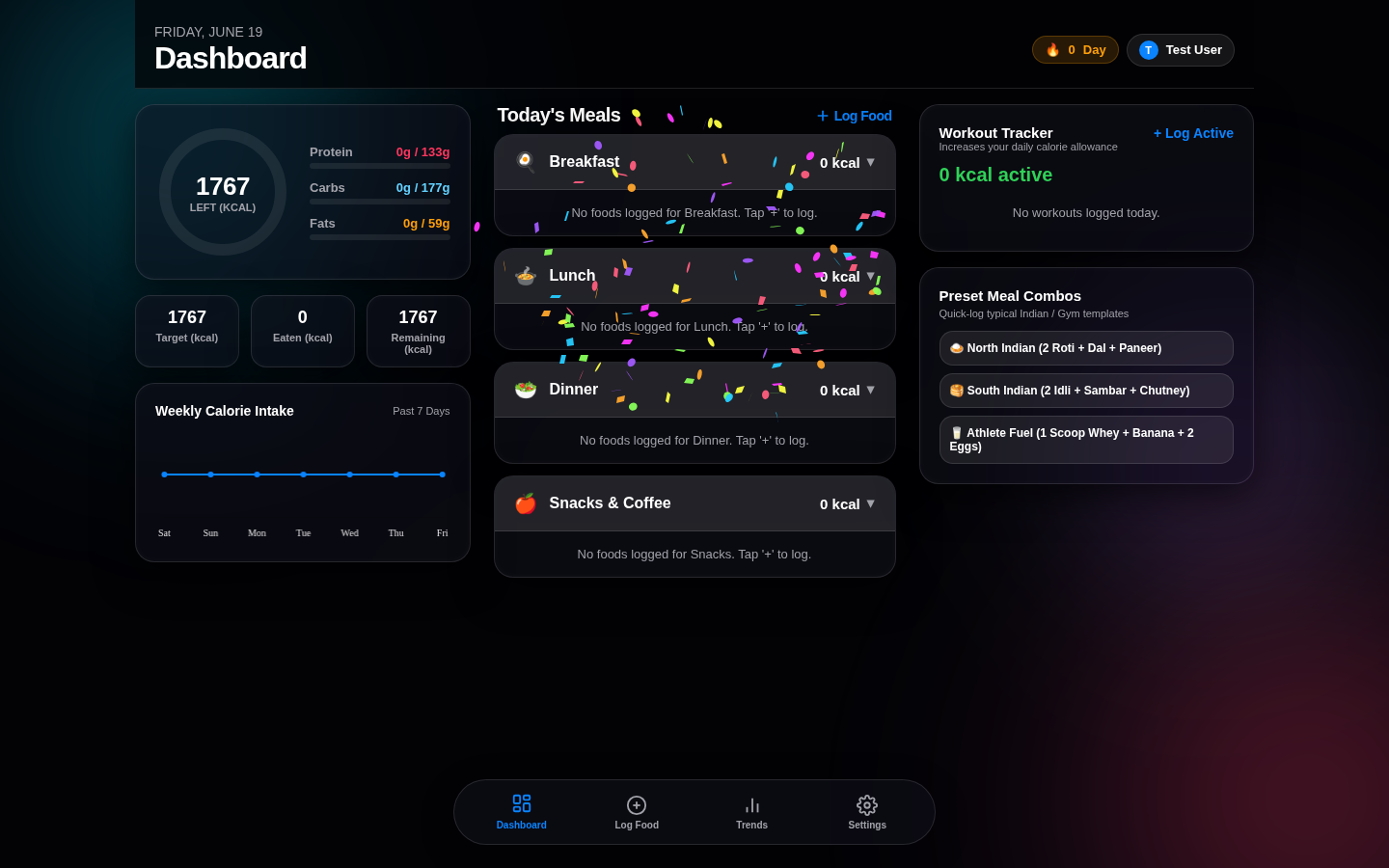
NutriGlass is a static HTML/CSS/JS application. There is no backend; all user data lives in the browser's local storage. The documented capabilities include:
- Onboarding — collects email, name, gender, age, height, weight, activity level, and diet goal to compute calorie/macronutrient targets.
- Food search — searches a curated local food database, user-created custom foods, and the Open Food Facts public API.
- Nutrition tracking — logs calories, protein, carbohydrates, and fat.
- Custom foods — lets users save their own foods with custom macros.
- Charts — visualizes progress using chart.js.
- PWA support — includes
manifest.jsonand an app icon.
There is no AI, no barcode scanner, no social features, and no cloud sync.
| Key data | |
|---|---|
| Category | Fitness & Nutrition |
| Language | HTML / CSS / JS |
| License | Unknown |
| Self-hosted | Yes (any static host) |
| AI | None |
| Database | Browser localStorage |
| Data model | Client-side only |
How to Install and Deploy
cd /data2/docker/going-global/repos/NUTRIGLASS
npm install
PORT=5004 npm run dev
Then open http://localhost:5004.
Because the project is static, you can also deploy the built files to any static host.
How to Test
The documented test flow is:
- Complete the onboarding flow and set macro targets.
- Search the built-in food database or Open Food Facts.
- Add a custom food if needed.
- Log a meal and verify the dashboard updates totals in real time.
- Refresh the page and confirm data persists in localStorage.
- Verify the chart renders daily progress.
Because everything is client-side, it can run offline after the first load. The trade-off is that data is tied to the browser; clearing site data loses history.
Privacy & Compliance
NutriGlass is not HIPAA compliant. It does not send personal data to a backend by default, but it does query the Open Food Facts public API when searching foods. All persisted data stays in the browser. For production use, serve it over HTTPS and back up localStorage if you care about the history.
NutriGlass vs Commercial Trackers
| Dimension | NutriGlass | Commercial Tracker (e.g., MyFitnessPal, Cronometer) |
|---|---|---|
| Cost | Free / self-hosted | Freemium with ads or subscription |
| Data ownership | Stays in your browser | Vendor cloud |
| Ads / tracking | None | Ads and analytics in free tiers |
| Food database | Local + Open Food Facts | Large proprietary database |
| Barcode scanner | No | Yes |
| Mobile apps | PWA install | Native iOS / Android |
| Offline use | Yes after first load | Limited |
| AI features | None | Increasingly common |
Who Should Use It
- Users who want a private, no-account nutrition logger.
- Self-hosters who want a lightweight static app.
- Developers who want a clean front-end reference for diet tracking UI.
Who Shouldn't Use It
- People who need a large barcode-scanning food database.
- Users who want cloud sync across devices.
- Anyone needing clinical-grade nutrition tracking or medical advice.
FAQ
Does NutriGlass store my data in the cloud?
No. All data is stored in your browser's localStorage. It never leaves your device unless you export it manually.
Can I use NutriGlass offline?
Yes, after the initial page load. The food search falls back to the local database when offline; Open Food Facts lookup requires internet.
Does NutriGlass use AI?
No. It is a traditional CRUD-style nutrition tracker with chart.js visualizations.
Verdict
NutriGlass is a well-designed static diet tracker for privacy-conscious users. It will not replace feature-rich commercial apps, but it is a solid, no-server starting point for a self-hosted nutrition logger.
Ratings: Deployability 5/5 · Value vs Commercial 3/5 · Privacy Compliance 4/5